

Timer ScreenSaver 1.0
Timer ScreenSaver will display a digital timer on the computer screen
Program info
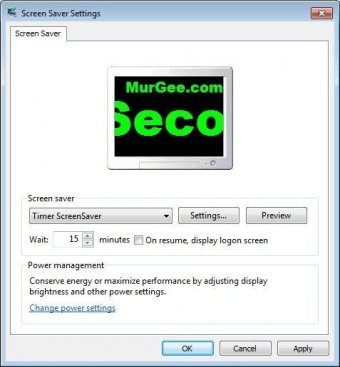
Timer ScreenSaver is a screensaver that displays a digital timer on the computer screen. This program will launch itself when the computer goes idle, and you can set the timer to show how much time the computer has been left idle or the time remaining before the system shuts down the monitor.
Through the Windows Screen Saver Settings window you will be able to set how much time the system will wait before launching the screensaver, and if the system will display the logon screen on resume. The "Settings" button will let you access the screensaver´s internal configuration. Through it, you will be able to set the text color, size, font and alignment. You can choose here what kind of timer you want the screensaver to display, and how much time will pass before the program turns off the monitor and closes the screensaver. Every change you do in the appearance of the text can be previewed in a window included in this menu. There is an option to change the background color for the screensaver, which is currently disabled. Black is the only background color that the program will show.
Pros
- It is free
- It will show you the idle time when activated
Cons
- You cannot change the background color
Details
Extensions

No information available
The data will be available later.Old versions

No information available
The data will be available later.Awards

Related software

A scary yet funny screensaver that provides awesome, high-quality effects.

Forest Life 3D Screensaver brings the outdoors to your desktop.

Small sized and easy to install Screensaver.
Related stories
See all
Google seeks to make our future more hassle-free by removing the need for passwords and replacing them with passkeys. Let's see what is it all about.

Google makes password sharing easy, simple, and, more importantly, secure with its new feature.

Do dual-screen laptops really marry Technology and Productivity? Can you multitask on one properly? Let's see what those devices are about.


Comments